The plan never leaves your head
A list is not a time. Until something has a slot, it competes with everything else and loses.
Plan · Start · Measure · Show
Put today on a timetable and start it in one tap. The desktop app measures the time you actually spent. Your group sees what you finished.
Free to use. The desktop app is optional, and it is the part that measures your time.
Why plans fail
A list is not a time. Until something has a slot, it competes with everything else and loses.
Hours you write down yourself are guesses. Without measurement, a good day and a bad day look the same.
On your own, stopping costs nothing. That is usually why it happens.
How it works
No project boards, no tagging system. Enough structure to start, and nothing more.
Block the hours you cannot move, then drop today's work into the space that is left.
One tap starts the clock. Nothing else to decide, and no setup before you begin.
The desktop app records how long you actually worked, so the number does not depend on your memory.
Check in and the people in your group see it. What you finished, not what you promised.
The app
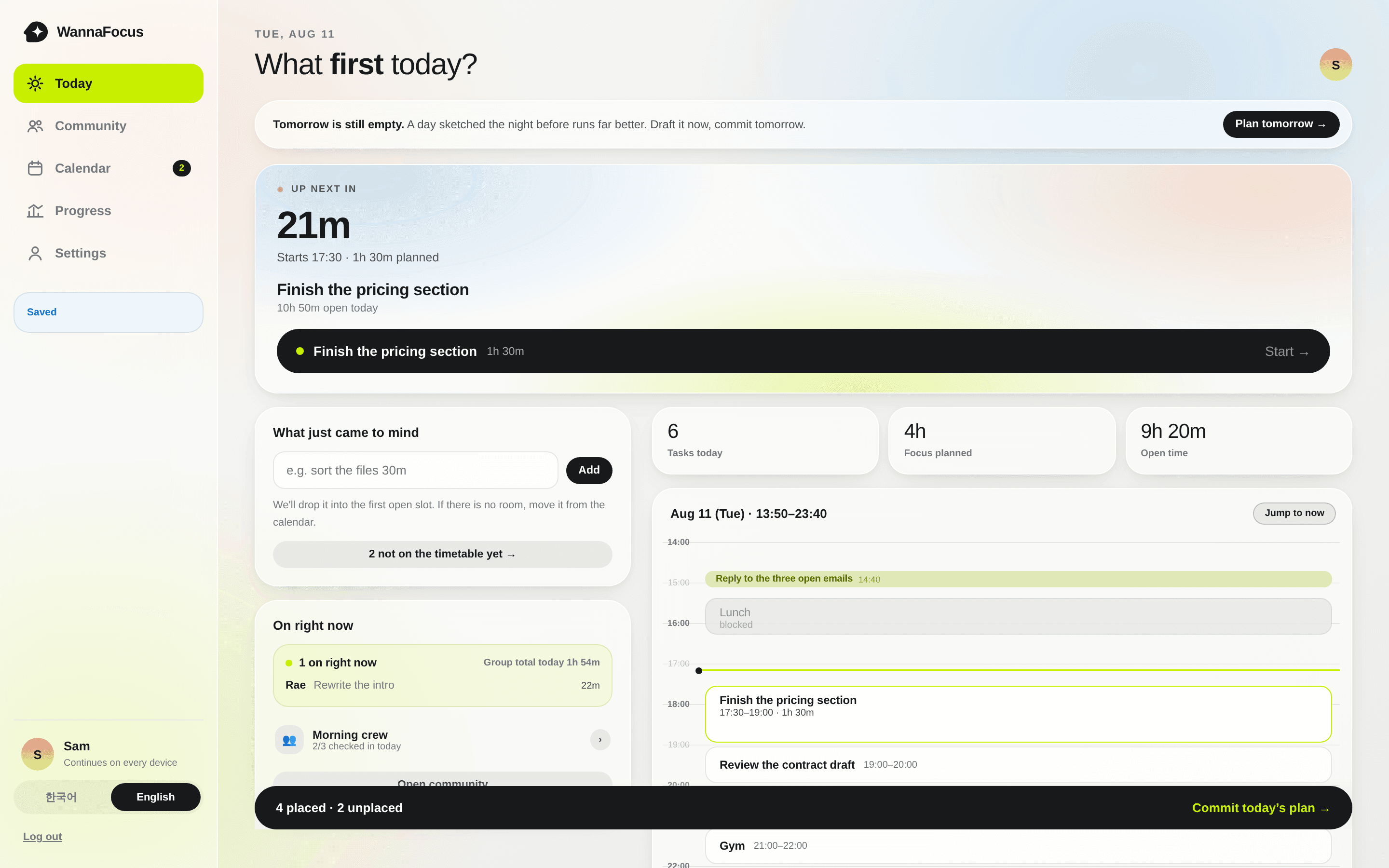
The desktop app opens straight into this. Same account, same day, on every device.
What is next, when it starts, and how much of the day is still open.
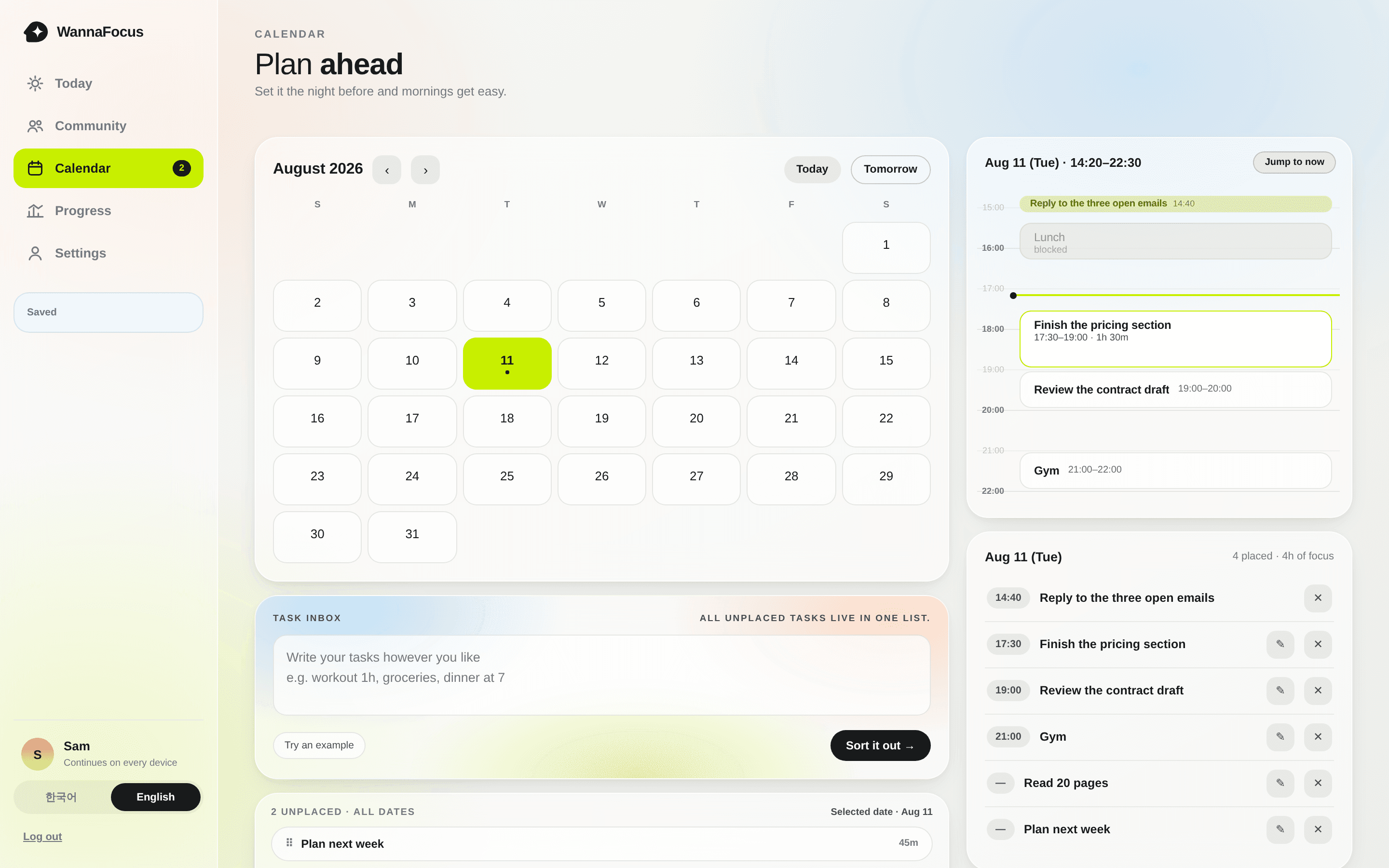
Your fixed hours and your work in the same grid, so a plan has to fit real time.
A small group, a shared board, and who is working right now.
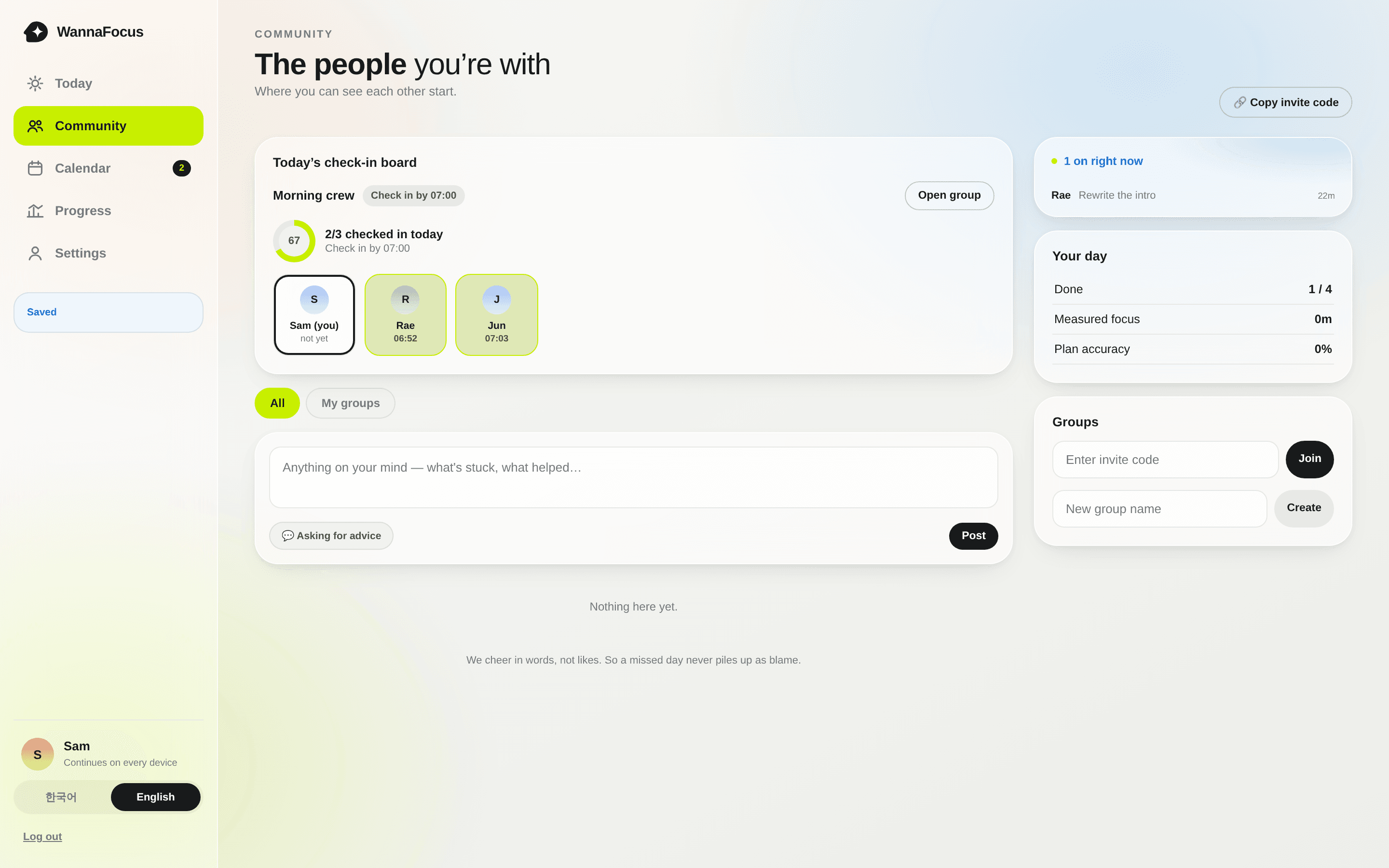
Screens from the app. The names and tasks are examples.
Measured, not self-reported
Most focus apps take your word for it. The desktop app runs quietly in the background and records the minutes you actually spent, so your week is a record instead of an impression.
It reads which app is in front. It never reads window titles, keystrokes, or what is on your screen.
When you drift
Choose the sites and apps you lose time to. When you open one, WannaFocus does not block it. It asks what you were about to do and lets you pick how long you need.
You set the maximum length yourself, in advance, while you are calm. Leaving is always one tap, with no confirmation.
What were you about to do?
Privacy
The browser extension acts only on sites you chose. A paused page's return address stays in the browser fragment and is never sent to our server. We do not collect browsing history or page content. The desktop app uses only the foreground app name.
Get the desktop appCommunity
A group is a few people looking at the same board. You check in, they see it. There is no ranking, no follower count, and no public feed. Missing a day is not punished.
Questions
No. The web app works on its own. The desktop app is the part that measures your real time, so most people install it after the first week.
Nothing. There is no streak to protect and no failure label. You put it back on the timetable and start again.
No. Every session has a sharing setting and private is the default. Your group only sees what you chose to share.
The web app runs in any browser. The desktop app is available for Windows and macOS. A mobile app is being built.
This site is available in seven languages. The app itself is currently in Korean and English.
It takes about a minute. The rest can wait until tomorrow.
Start free